Meeting room AV and collaboration
Video conferencing support can include meeting endpoints, cameras, microphones, displays, screen sharing, platform configuration, and network checks.
Room layouts and equipment differ. Setup and troubleshooting are planned around the systems your organization uses.
A combination of meeting endpoints, cameras, microphones, displays, platform accounts, and network settings for remote meetings.
A dedicated device or computer that connects a meeting room’s cameras, microphones, and displays to a conferencing platform.
Connecting and configuring cameras, microphones, speakers, displays, screen sharing, and controls to work together in a room.
The combined result of network, equipment, account settings, and room conditions during a meeting.
Connection, audio, and display issues
A meeting may be affected by microphone pickup, camera placement, display connections, wireless casting, platform settings, or network conditions.
Documenting room equipment and setup can make recurring issues easier to investigate before the next meeting.
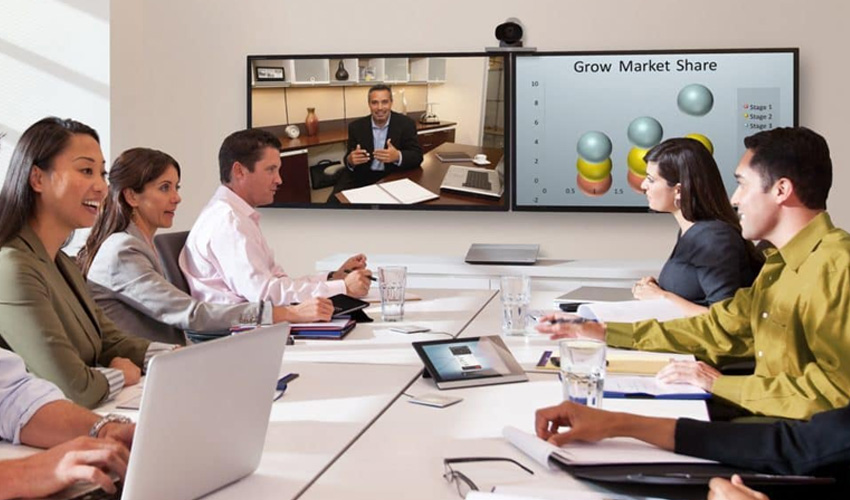
Meeting room setup and ongoing support
Support is scoped to the installed equipment and collaboration platforms in use.
Meeting room endpoints and equipment
Plan meeting endpoints, cameras, microphones, speakers, and displays for the room size and intended use.
Camera and microphone setup
Adjust camera views, microphone pickup, echo control, and speaker output for clearer meetings.
Display, casting, and room controls
Connect displays, projectors, wireless casting, room controls, and meeting interfaces.
Platform accounts and meeting access
Configure conferencing accounts, permissions, room association, and calendar coordination.
Network checks and meeting troubleshooting
Investigate bandwidth, Wi-Fi coverage, link stability, latency, and dropped connections.
Routine maintenance and issue response
Address audio or video problems, sharing failures, offline devices, and room sign-in issues.

Make meeting rooms easier to use
Room equipment records and repeatable setup guidance help staff identify the right support steps when a meeting system has a problem.
For email, Teams, and file collaboration platform support, see Microsoft 365 Services.
Coordinate room equipment with the conferencing platforms employees use.
Routine care and pre-meeting checks can help identify equipment or connection issues.
Documented connection and meeting steps reduce guesswork for employees.
Use consistent deployment and maintenance practices for endpoints and room devices.