Server and business systems maintenance
Server maintenance covers operating systems and the components that support business applications. For Windows Server, Linux, and virtualization environments, work may include planned updates, access management, resource checks, log review, and troubleshooting.
Performance changes, missing patches, permission errors, or low disk space can affect ERP, databases, file sharing, and other business systems.
Ongoing work on business server environments, including updates, access, resource checks, logs, backups, and troubleshooting.
The ability to access a server or business system when it is needed, with fewer interruptions to operations.
A planned period for updates, restarts, and configuration changes, scheduled with business impact in mind.
Observing CPU, memory, storage, network, processes, and services to help identify capacity or performance issues.
Resource, patch, and dependency risks
A successful startup does not by itself confirm that capacity, patch status, backups, and application dependencies are in good shape.
Routine checks and documented changes give IT teams more context for investigating issues and planning maintenance.

Common server maintenance activities
The supported systems and tasks are confirmed against your environment and agreed responsibilities.
Operating system updates and maintenance
Check versions, coordinate patches, and review the status of supported Windows Server and Linux environments.
Accounts, permissions, and security settings
Review server accounts, access, remote administration, and baseline settings.
Resource checks and performance review
Review CPU, memory, disk space, I/O, logs, and service processes for capacity or performance concerns.
Business application environments
Support the basic operating environments for web services, databases, middleware, file sharing, and common business systems.
Backup checks and recovery planning
Review backup status, file integrity, and documented recovery paths.
Monitoring and incident coordination
Follow up on alerts and access issues and coordinate investigation and recovery with the responsible teams.
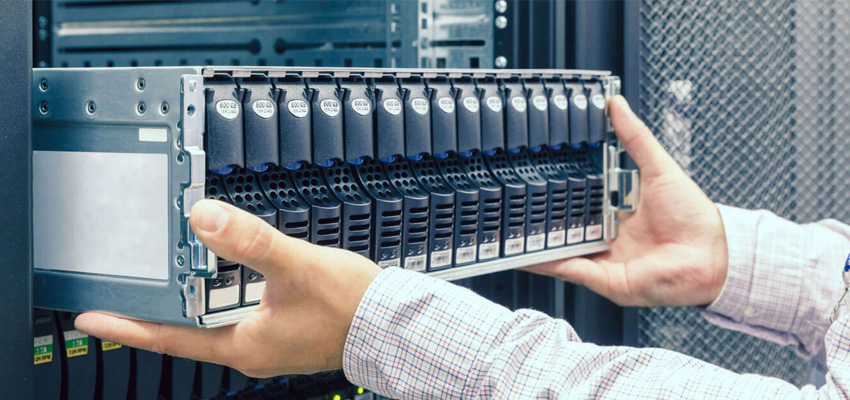
Server status helps guide troubleshooting
A record of checks, updates, access, and issues helps teams understand the current state of their server environment.
For rack, power, cooling, and cabling checks, see Data Center Operations.
Review system, resource, and log status to identify concerns that may affect operations.
Keep track of versions, capacity, and alerts across the supported environment.
Review backup status and recovery paths before an incident occurs.
Record updates, configuration adjustments, and permission changes for later review.
Keep alert, maintenance, and incident details available to the teams involved.
Use resource and dependency information when planning system or business growth.