“I don’t even know why we still have Phone Dialer”: Microsoft exec admits Windows 11 still ships a Windows 95 app for modems nobody uses
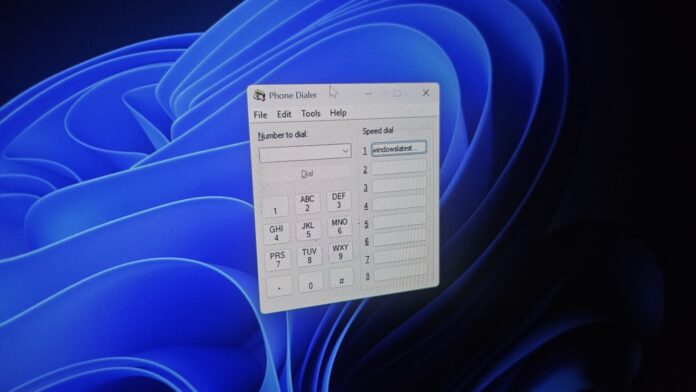
You no longer need to set up a dial-up connection to connect a PC to the internet, but Windows 11 still comes with the legacy code, and it’s one example of decades-old features still in the operating system. Microsoft is now aware that one such feature, Phone Dialer, remains included, and I wouldn’t be surprised if it’s removed soon.
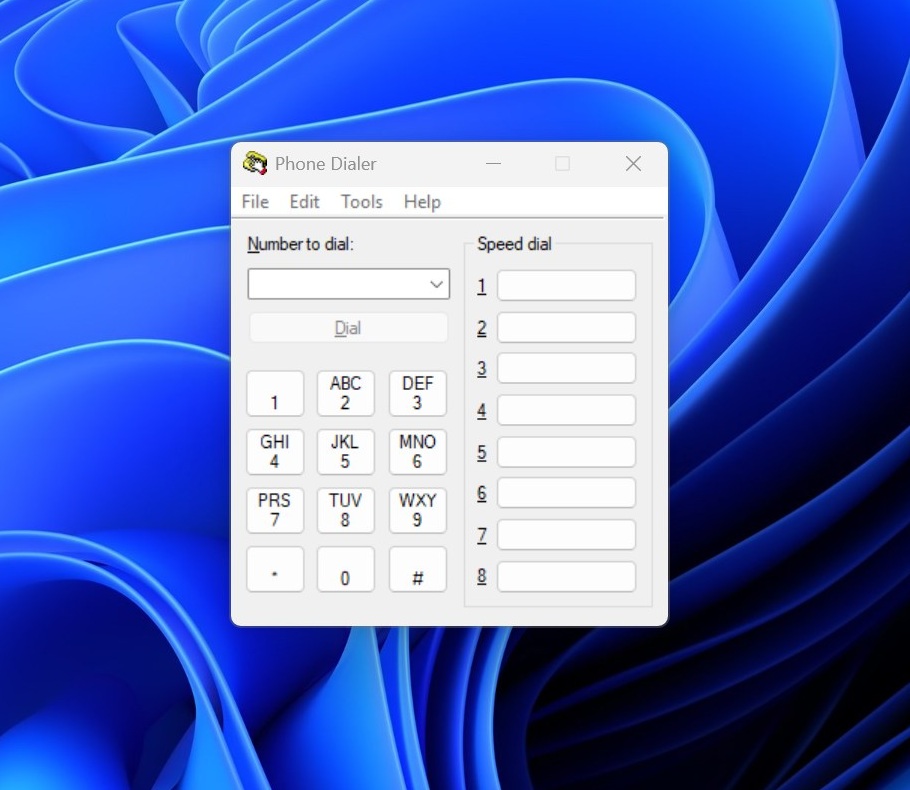
If you don’t believe me, you can try it yourself. You just need to open Windows Run (Win+R) and type dialer. Press Enter, and you’ll be staring at a Windows 95-era dialog called Phone Dialer! If you’ve ever used a modem to make calls from your PC, you’d instantly recognize it.
Here’s what it looks like on Windows 11 26H2:
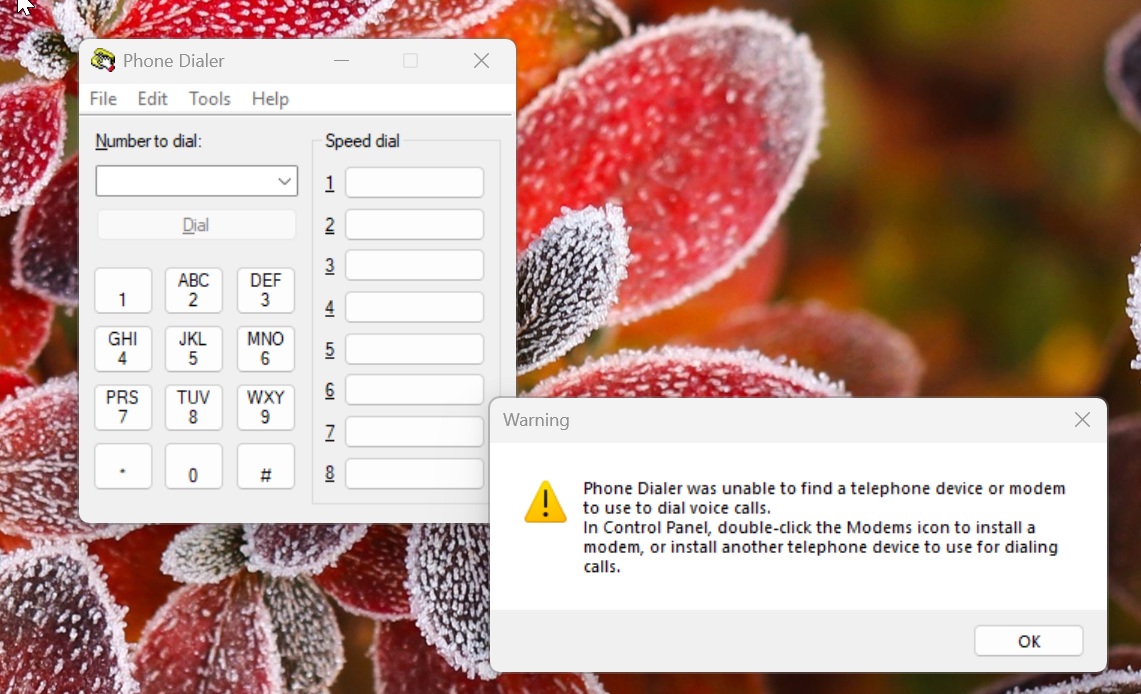 You can instantly tell the Dialer is from an older era of Windows, and the icon makes that clear. A version of Phone Dialer was available even before Windows 95, in the Windows 3.1 days. There’s a warning, which follows Windows 11’s design, saying that Phone Dialer was unable to find a telephone device or modem to use for voice calls.
For anyone who has never used a modem to connect a PC to the internet, Phone Dialer basically let your computer dial a regular phone number. In the late 1990s and early 2000s, many PCs had a modem, which was either connected separately or built in, and a telephone cable ran from the modem to a landline socket.
If you wanted to call someone, you could open Phone Dialer, type a number or choose one of the saved speed-dial numbers, and select Dial. When you followed these basic steps, Windows would tell the modem to dial that number over the phone line. You could then pick up a telephone handset connected to the same line and talk.
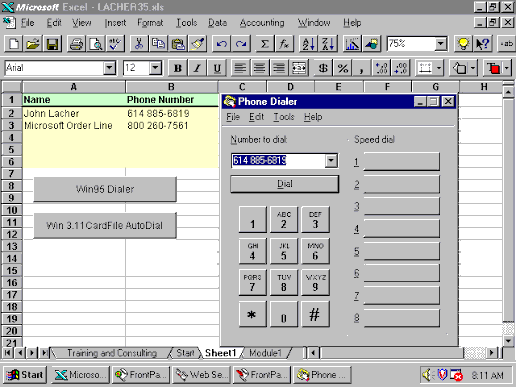 Phone Dialer on Windows 95
Of course, you wouldn’t have been using your modem to make voice calls all the time. The same modem could also be used to connect your PC to the internet, but that was done through a separate feature called Dial-Up Networking. In this setup, your modem would dial your internet provider’s number, and the two modems would exchange those famous screeching sounds as they established a data connection.
Fast forward to today, and most of us no longer need a dial-up modem to get online. Phone Dialer is also unlikely to have much use on a typical modern PC, but it’s one of the many remnants of older Windows releases that have survived into Windows 11.
Phone Dialer could soon be removed from Windows 11
When a user asked Microsoft if it ever plans to remove old interfaces like Phone Dialer from Windows 11, Brandon LeBlanc, Microsoft’s Windows communications director, said he’d passed along the feedback. He also questioned why something from the Windows 95 days is still included in Windows 11!
“I don’t even know why we still have Phone Dialer, it was meant for a time where PCs had modems. I passed this along, doesn’t seem like that needs to be included anymore,” he wrote in a post on X spotted by Windows Latest.
It’s quite interesting how stuff like this might be news to Microsoft employees themselves, and it makes sense given how old and versatile the operating system is.
Of course, this doesn’t mean Microsoft has decided to remove Phone Dialer in the next update, but I wouldn’t be surprised if the company takes it off the table soon, as the app no longer seems necessary for most users.
Phone Dialer is still used in offices with phone systems
Not everyone agrees with LeBlanc and some of our readers argued that Phone Dialer is still a critical part of businesses. I checked and they do have a point, but it has very little to do with modems.
Phone Dialer works on top of TAPI (Telephony API), which is how office phone systems from companies like Avaya, Auerswald and even the open-source Asterisk connect to Windows PCs. With the right driver installed, Phone Dialer can place calls on your desk phone instead of a modem. Auerswald’s manual literally mentions that when you type a number in dialer.exe and click Dial, the desk phone rings, and when you pick up the receiver, the call goes through.
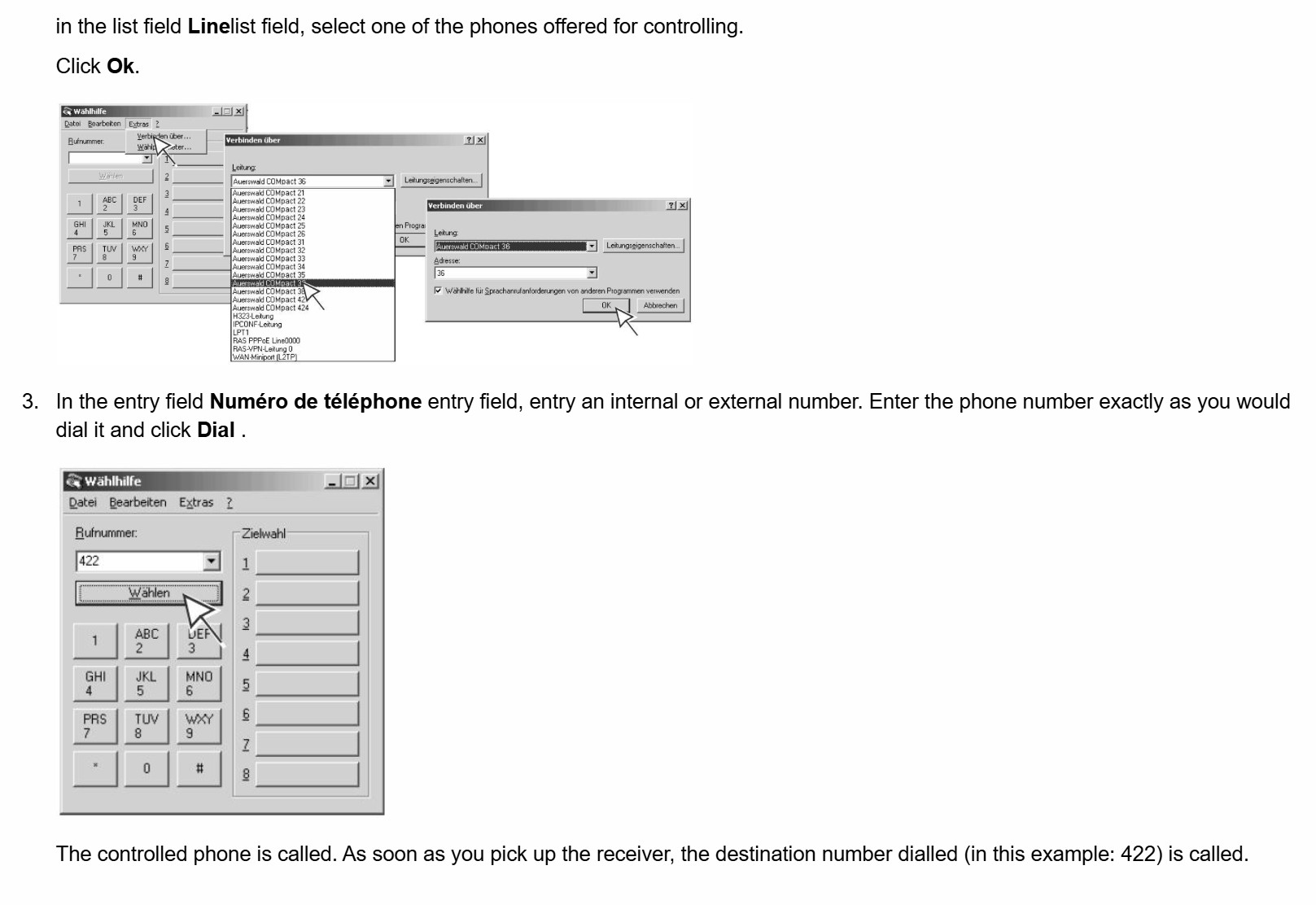 Auerswald’s guide to use Dialer. Image: Auerswald
Business software uses it as well. Windows has a feature called Assisted Telephony, which lets apps like spreadsheets and databases add a Dial button without having to build calling features. The app passes the number to a “call manager” app, and guess which program is that on Windows: It’s the Phone Dialer.
For example, DS-Win, a popular dental practice software in Germany, lists “Windows Wählhilfe (Assistierte TAPI)” as one of the ways to call patients through the practice’s phone system. Wählhilfe is Phone Dialer’s German name.
I was also surprised to know that IT admins open dialer.exe to check if TAPI works before they troubleshoot Outlook’s click-to-dial. And these setups aren’t stuck in the 90s. After Windows 11’s January 2026 update, German blog Borncity heard from companies with Auerswald and Avaya phone systems whose PCs couldn’t reach their TAPI servers anymore. The dialer on those PCs suddenly said there was “no modem available.”
Windows 11 still has dialogs from the Windows 3.1 days. Yes, seriously
When Windows 11 was getting ready to ship in 2021, I was keeping track of the UI and UX that still needed some much-needed “modernization,” beyond just rounded corners.
One of the features I spotted was the ODBC Data Source Administrator, which still used icons and elements from the days of Windows 3.1.

It’s one of the oldest legacy tools that allows administrators to connect a Microsoft Access database to an external data source such as Microsoft SQL Server. The screenshot above is from 2021, and the dialog still looks the same on Windows 11 26H2. Microsoft has added rounded corners and shadows, but the overall UI/UX? It’s still from the Windows 3.1 days.
It wouldn’t be fair to single out Phone Dialer and assume it’s the only applet using design cues from the early days of Windows.
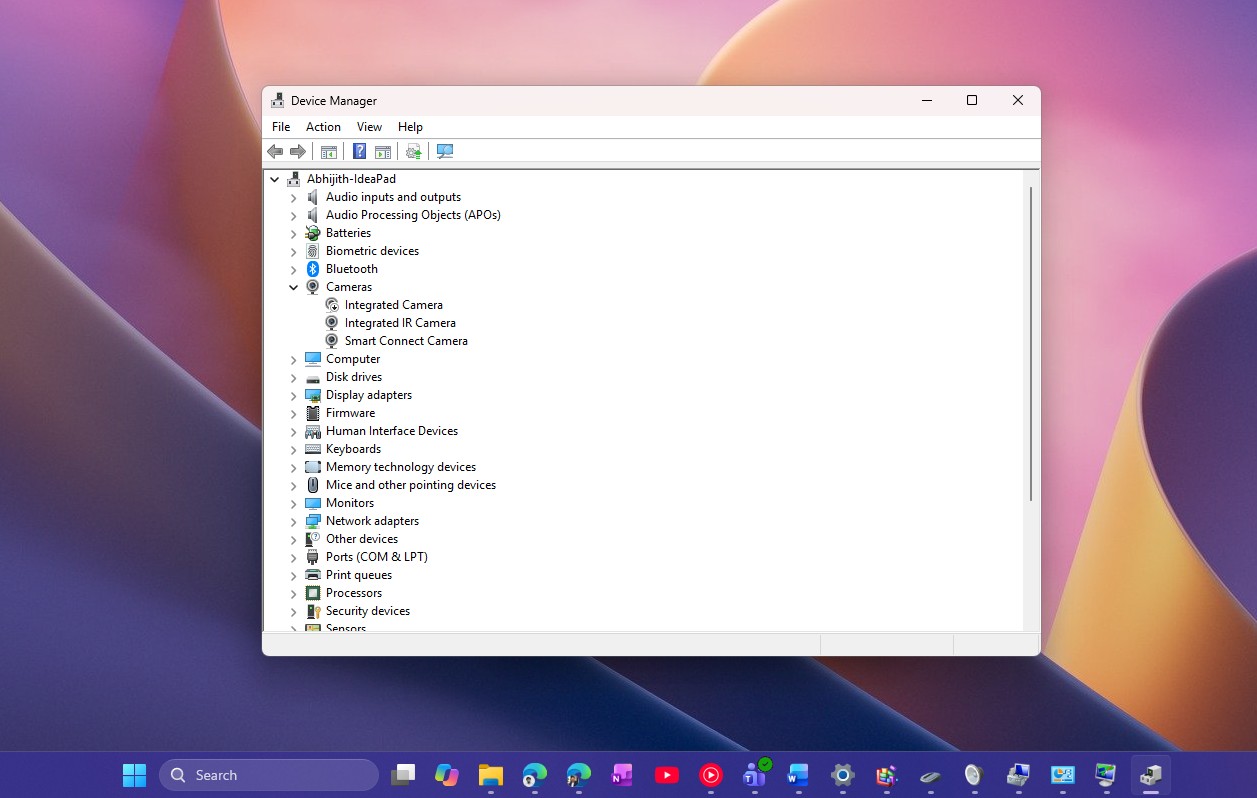
Right now, Windows 11 still has Device Manager, Disk Management, and dozens of other applets that don’t even look like they were built for Windows 10, let alone Windows 11. We recently put together a list of 25 legacy dialogs and tools you can still open.
Also, it’s not just about these tools or applets. Right now, if you press Shift five times, you’ll see the Sticky Keys prompt, and there’s no way to turn off the alert. It can disrupt your games, but Microsoft has never considered adding a toggle that entirely turns off the feature.
That changes now, as Microsoft is finally testing a checkbox that lets you stop the prompt from appearing again, but the dialog still has its old Win32 look.
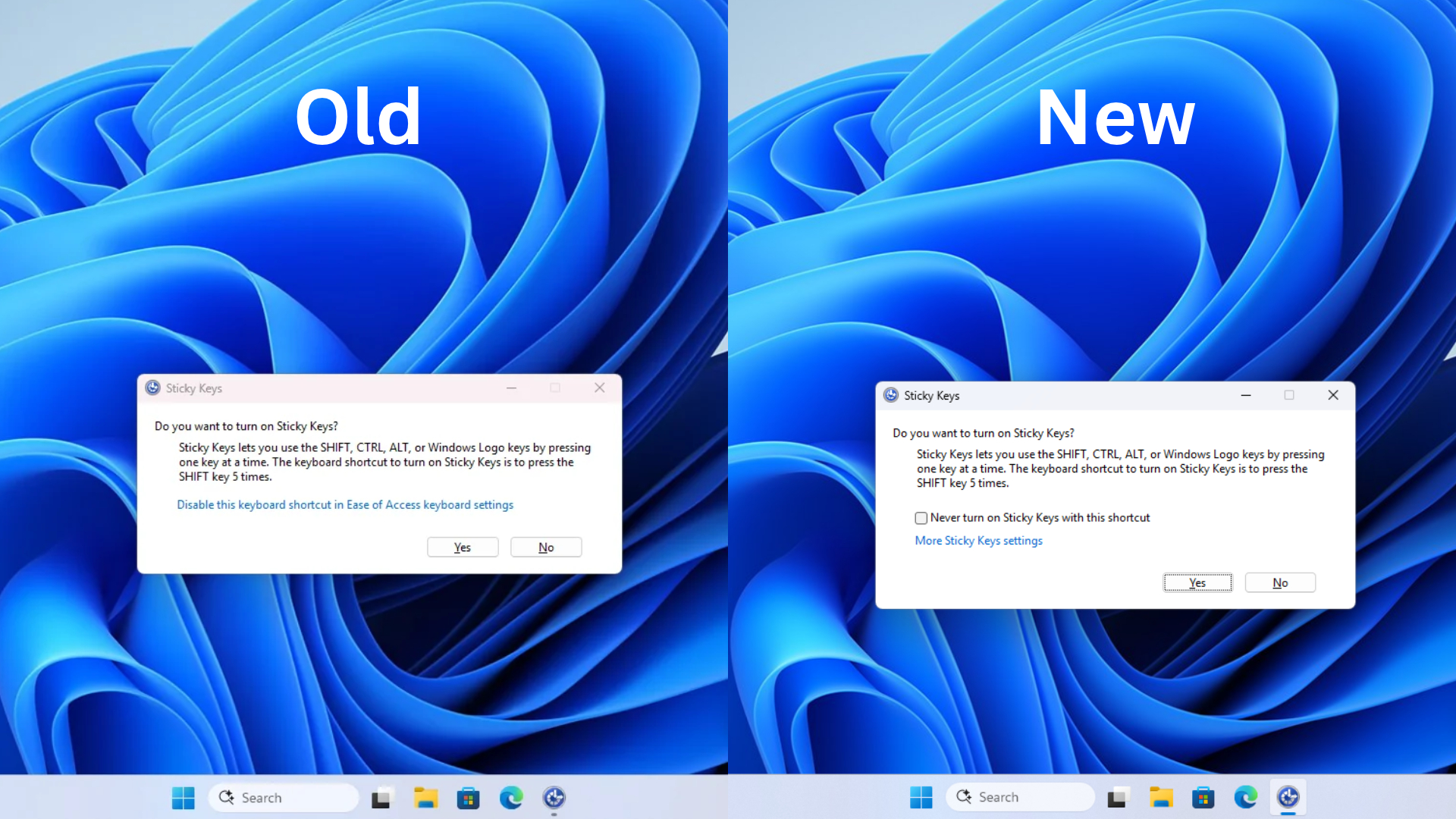
Former Microsoft program manager Charles Oppermann said he wrote the dialog in 1995 after another executive’s children kept turning on Sticky Keys while playing Space Cadet Pinball.
Microsoft plans to modernize more of these old dialogs
I’m told that Microsoft really plans to modernize Windows 11, and most of the legacy dialogs are on the list for modernization. We’re already seeing some progress.
For example, Windows 11’s November 2026 update modernizes the AutoPlay dialog.
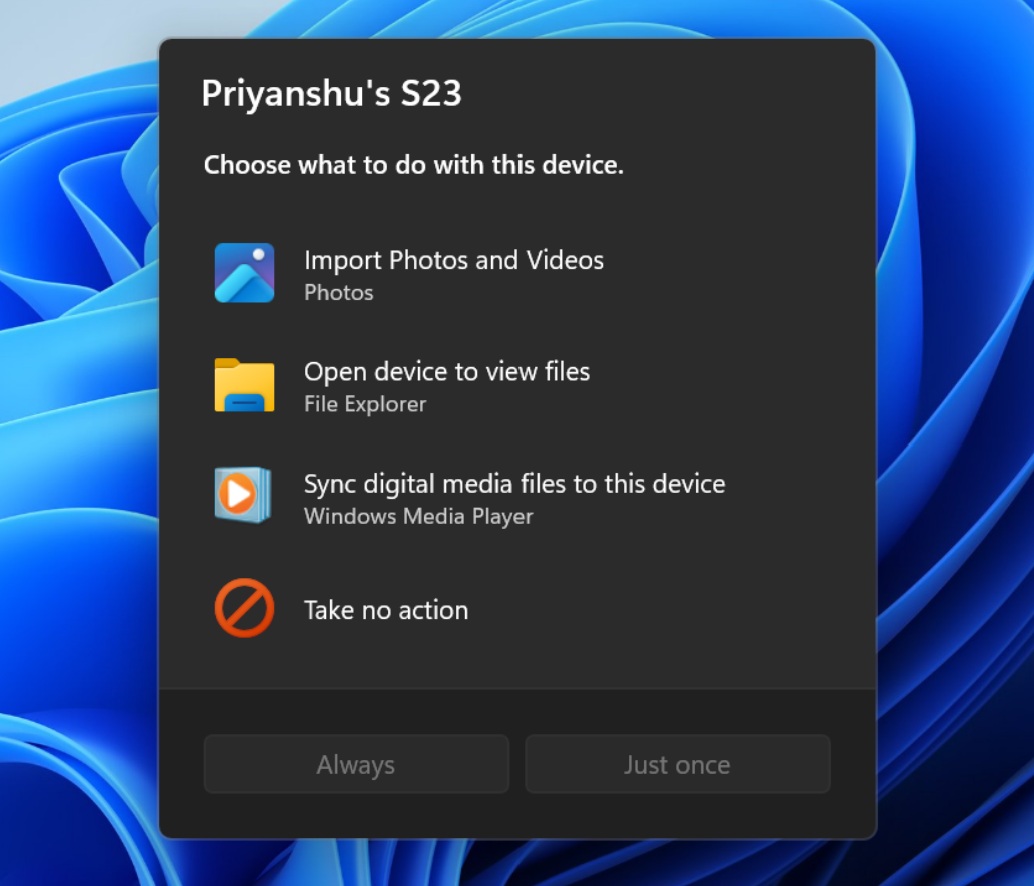 Modern Windows AutoPlay on Windows 11
And we’re told that the December 2026 update will add a modern Windows Run dialog that will replace the legacy one if you choose to enable the modern version.
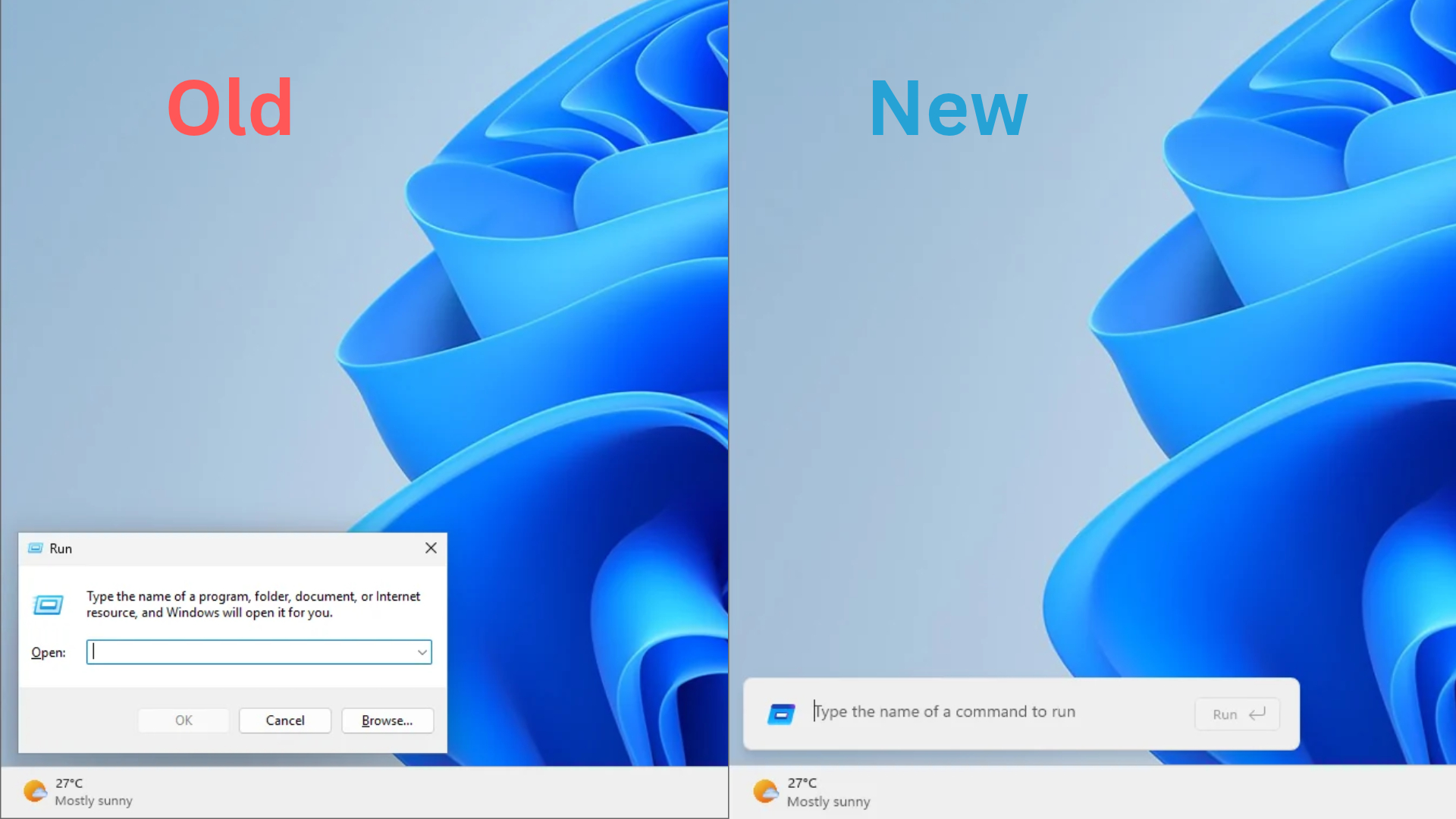 The WinUI Run dialog ditches the Browse button from the legacy Run. Credit: Windows Latest
There are similar improvements planned, including replacing the current Windows Search UI with a more compact and faster experience.
Even the Properties dialog in File Explorer is set to get a revamp with WinUI, and Microsoft previously confirmed it’s building 100% native apps for Windows, so it’s only a matter of time before more changes begin showing up.
As for Phone Dialer, yes it is useless on most home PCs, but for offices that dial through TAPI, it’s what connects the PC to the desk phone. If that’s the case, Microsoft could give it the WinUI 3 makeover that Print Management just got, especially since the company is already replacing dozens of Windows 95-era dialogs. A modern Phone Dialer with dark mode and a proper contact list wouldn’t hurt anyone, would it?